
Table of Contents
Introduction
You want small home office ideas that work in real square footage, not a magazine spread shot inside a 4,000-square-foot house. Good news: a corner, a closet, or a five-foot stretch of wall is enough.
The kitchen table works for a week. After six months, it becomes a problem. Work and home start blending together, focus drops, and every meal requires moving cables, notebooks, and chargers out of the way.
A dedicated workspace solves that, even if it occupies only 20 square feet.
Remote work has permanently changed how Americans use their homes. Spare bedrooms, dining corners, and converted closets now function as offices, classrooms, and creative studios. According to research from Harvard Business Review, employees value flexible work arrangements nearly as much as meaningful salary increases, making a comfortable workspace more important than ever.
This guide covers 17 small home office ideas, realistic costs, ergonomic recommendations, and the mistakes that can make compact offices feel cramped rather than efficient. Every health, productivity, and design claim traces back to reputable sources rather than assumptions.
Whether you’re creating a work-from-home office setup in an apartment, building a tiny office setup in a guest room, or upgrading an existing workspace, these ideas prioritize function before decoration—and that approach almost always produces a better result.
Why do small home offices matter more than ever?
Remote work is no longer temporary. It’s part of how millions of Americans live and work.
According to Harvard Business Review and Harvard Business School research, many businesses reported productivity improvements after adapting to long-term remote work practices. A dedicated workspace, even a modest one, plays a significant role in those gains.
Larger homes don’t necessarily mean better offices. Most people aren’t converting entire rooms. They’re working with:
- A bedroom corner
- An unused closet
- A hallway niche
- A section of the living room
- A small apartment office setup
And surprisingly, those smaller spaces often work better.
A compact office forces every item to justify its existence. Oversized rooms encourage unnecessary furniture and clutter. Small spaces reward intentional design.
After reviewing apartment renovations, home office communities, and interior design case studies, one pattern consistently appears: people rarely regret adding storage or improving lighting. They frequently regret buying a desk that’s too large for the room.
Recent remote work research from Harvard Business Review suggests that well-designed home workspaces can improve employee satisfaction and focus.
Another observation stands out.
The homeowners with the most productive workspaces usually own fewer office items—not more. Vertical storage, multifunctional furniture, and clear surfaces consistently outperform expensive decorative upgrades.
Small home office ideas succeed when they optimize workflow rather than maximize furniture.
Multiple productivity studies from Harvard Business School highlight the importance of minimizing distractions and creating dedicated work zones.
How much does a small home office cost?
A functional home office can cost anywhere from $200 to $5,000 depending on furniture choices, technology, and customization.
| Setup Type | Estimated Cost | Best For |
| Budget Corner Office | $200–$500 | Students, freelancers |
| Mid-Range Workspace | $600–$1,500 | Remote professionals |
| Premium Smart Office | $2,000–$5,000+ | Entrepreneurs and executives |
A budget home office makeover doesn’t mean cheap-looking.
Most cost differences come from:
- Ergonomic furniture
- Standing desks
- Smart lighting systems
- Built-in storage
- Technology upgrades
Square footage matters far less than purchasing decisions.
A $300 desk paired with a quality ergonomic office chair frequently outperforms a matching office suite costing four times as much.
Many successful apartment home office ideas rely on repurposing existing furniture and investing selectively in items used every day.
Which small home office layout works best?
Before buying furniture, it helps to understand which office layouts deliver the most value for different homes.
| Layout Type | Space Needed | Budget | Productivity Potential | Best For |
| Corner Desk Setup | 20 sq ft | Low | High | Apartments |
| Closet Office (Cloffice) | 15 sq ft | Medium | Very High | Remote workers |
| Floating Wall Desk | 10 sq ft | Low | Medium | Studio apartments |
| Bedroom Office Nook | 25 sq ft | Medium | High | Shared spaces |
| Dedicated Home Office Room | 60+ sq ft | High | Excellent | Full-time professionals |
One interesting trend appears across small-space renovations: closet offices routinely outperform larger workspaces in daily satisfaction.
Why?
Because closing the doors at the end of the day creates a physical boundary between work and personal life.
That separation matters more than square footage.
If your home office shares space with another function, creating visual boundaries through shelving, lighting, or furniture placement often improves productivity more than adding additional furniture.
Best small home office setups for apartments, bedrooms, and shared spaces
Different homes require different solutions.
Apartment Home Office Ideas
Apartment workspaces benefit most from:
- Floating shelves
- Fold-down desks
- Vertical storage systems
- Hidden cable management
- Multipurpose furniture
Every square foot matters.
Bedroom Office Ideas
The biggest challenge in bedroom offices is psychological separation.
Position the desk outside the immediate sightline of the bed whenever possible. Even a small divider, plant shelf, or curtain helps distinguish work from rest.
Shared Living Spaces
Living rooms and family rooms require flexibility.
Storage benches, wall-mounted desks, and compact office furniture allow the workspace to disappear when needed—a strategy that consistently performs well in smaller American homes.
One pattern that consistently appears in small-space makeovers is that homeowners often buy furniture designed for large suburban homes and try to force it into compact rooms.
A 72-inch executive desk rarely improves productivity in a small office. In many cases, a thoughtfully designed 42-inch workspace performs better because movement, lighting, and storage remain balanced.
The goal isn’t building a bigger office.
It’s building a better one.
17 Small Home Office Ideas That Actually Work
1. Create a corner desk office in an unused nook
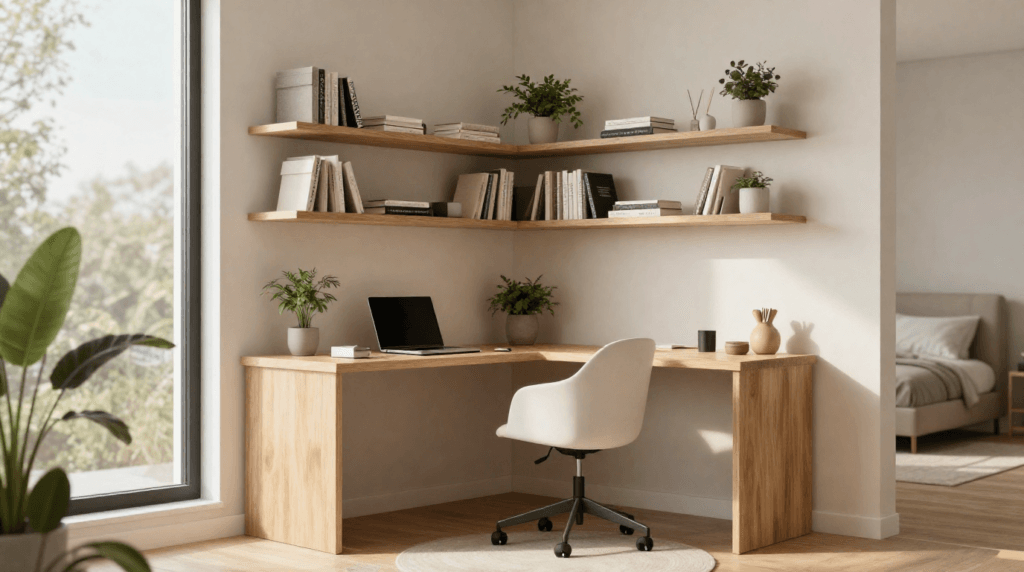
A corner desk transforms overlooked space into productive square footage.
Look beside a bookshelf, under a staircase, or next to a bedroom window. Compact home office setups built into genuine corners typically save three to five square feet compared to traditional wall layouts because they leverage two walls simultaneously.
This remains one of the most effective small office decor ideas for apartments.
2. Install floating shelves above your desk
Floating shelves provide office storage solutions without consuming valuable floor area.
Mount shelves at staggered heights to hold:
- Books
- Printers
- Decorative objects
- Supply bins
- Office organization systems
One recurring lesson from workspace redesigns is that vertical storage almost always delivers a greater functional improvement than purchasing larger furniture.
Clear desks promote clearer thinking.
For more expert organization tips, explore Better Homes & Gardens’ small-space storage solutions, which showcase creative ways to maximize every inch of a compact home.
3. Choose a standing desk for small spaces
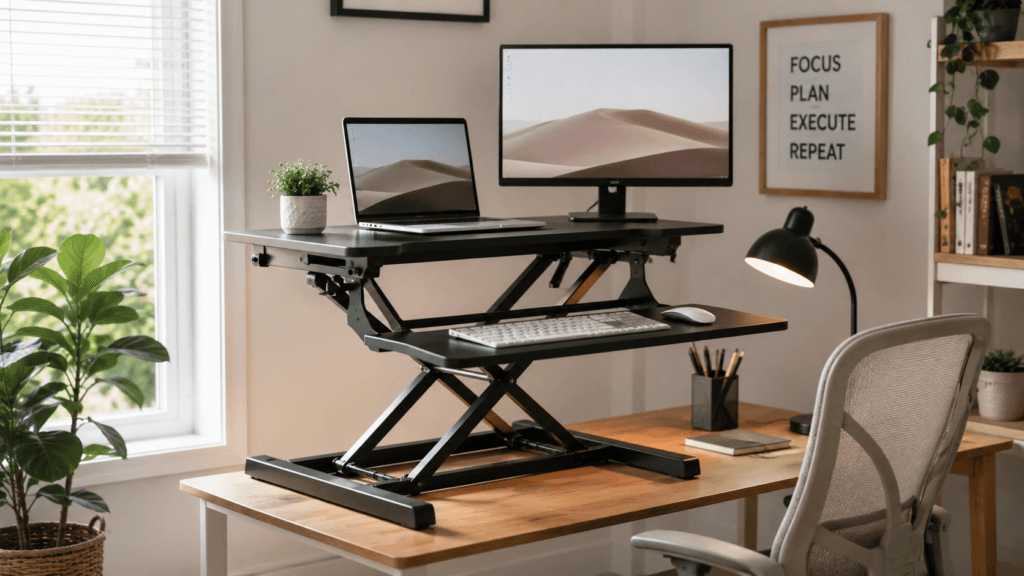
A standing desk converter delivers most of the benefits of an adjustable desk without demanding additional floor space.
Converters typically cost between $80 and $250, while full electric standing desks often start around $400 and climb well beyond $1,000.
For many remote workers, the converter is the smarter first investment.
According to Mayo Clinic guidance, prolonged sitting is associated with multiple health concerns, including obesity, diabetes, and cardiovascular disease. Alternating between sitting and standing throughout the day helps reduce discomfort and encourages movement.
A compact standing desk setup works especially well in:
- Studio apartments
- Shared bedrooms
- Small office nooks
- Multifunctional living spaces
One trend that appears across many remote work setups is that homeowners who begin with standing desk converters often realize they don’t need a full-size adjustable desk after all.
The flexibility matters more than the furniture footprint. Being able to alternate between sitting and standing without sacrificing valuable floor space usually delivers the biggest benefit in smaller home offices.
4. Use vertical office storage instead of wide cabinets
Horizontal furniture dominates small rooms.
Vertical furniture improves them.
A slim twelve-inch bookcase often stores as much as a wide cabinet while preserving valuable walking space.
Office shelving ideas that extend toward the ceiling create visual height and make rooms feel larger.
Consider:
- Floor-to-ceiling shelving
- Ladder bookcases
- Modular storage cubes
- Wall-mounted filing systems
Vertical office storage remains one of the most effective workspace organization ideas because it separates storage needs from desk functions.
One thing that consistently stands out in successful small home office designs is that they rarely rely on adding more furniture.
Instead, they use vertical space more effectively. A single tall bookshelf or a set of floating shelves often eliminates the need for an extra cabinet while keeping the room open and functional.
In compact workspaces, smart storage almost always beats additional square footage.
5. Add smart lighting for productivity
Lighting influences productivity more than most people realize.
Poor lighting contributes to:
- Eye strain
- Screen glare
- Headaches
- Mental fatigue
OSHA recommends minimizing reflections and positioning light sources carefully within computer workstations.
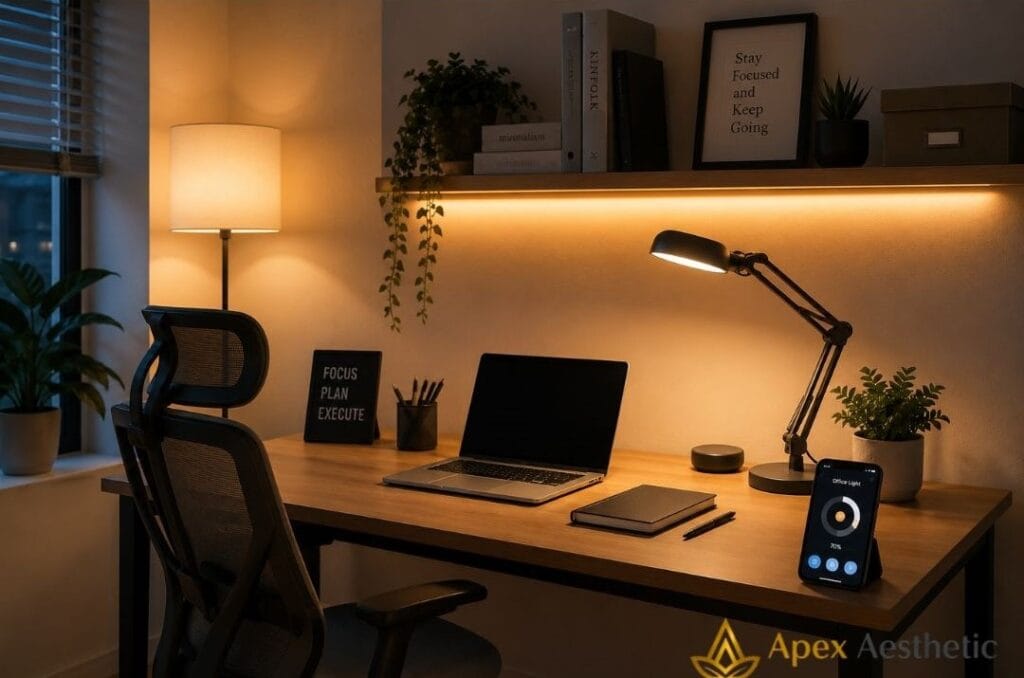
For small home offices, smart lighting solutions offer substantial value without requiring renovation.
Consider:
- Adjustable LED desk lamps
- Smart bulbs with warm and cool settings
- Motion-controlled lighting
- Dimmable task lights
A combination of overhead ambient light and targeted desk illumination typically produces the most comfortable environment.
One pattern that consistently appears in well-designed home offices is that lighting influences productivity more than decoration.
Homeowners often rely entirely on ceiling fixtures, but a properly positioned desk lamp usually creates a more comfortable workspace by reducing glare and improving task visibility.
In small spaces, thoughtful lighting upgrades often deliver greater benefits than expensive decorative purchases.
If you work from home, following the OSHA computer workstation guidelines can help reduce neck, shoulder, and wrist strain over long periods.
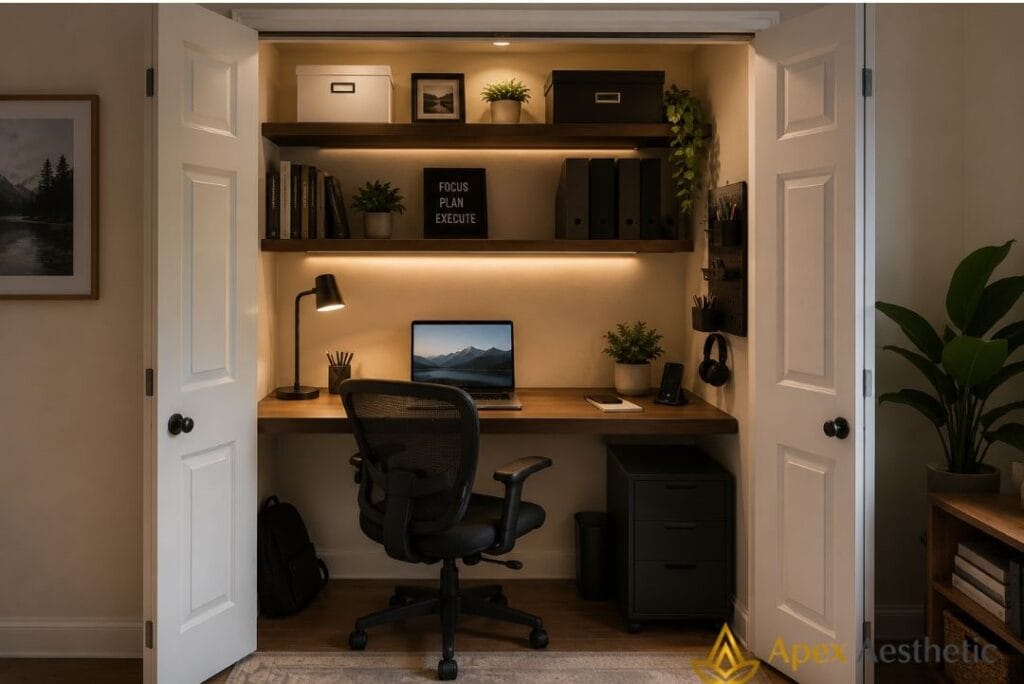
6. Build a closet office (cloffice)
The “cloffice” continues gaining popularity across Pinterest and interior design communities—and for good reason.
An unused closet provides the following:
- Defined boundaries
- Built-in storage opportunities
- Visual separation between work and personal life
A simple setup requires:
- A floating desk
- Two shelves
- LED lighting
- Cable organization
Many Americans working from apartments and smaller homes now convert closets rather than sacrificing entire rooms.
One thing that repeatedly stands out in small home office setups is how important it feels to physically separate work from home life.
Being able to close the office doors at the end of the day creates a clear boundary between professional and personal time. That simple transition often reduces stress and prevents work from feeling like it occupies the entire house.
7. Use dual-purpose, multifunctional furniture
* The best small spaces ask furniture to perform multiple jobs.
* A console table becomes a workstation.
* A fold-down desk disappears after business hours.
* A storage bench becomes guest seating.
Multifunctional furniture works especially well in the following:
- Studio apartments
- Shared bedrooms
- Living rooms
- Small family homes
The fewer pieces you own, the more important each piece becomes.
One trend that consistently appears in apartment office makeovers is that the homes that feel largest usually contain the least specialized furniture.
Flexible pieces that serve multiple purposes create more usable space than rooms filled with single-function items. In compact homes, adaptability almost always beats volume.
8. Invest in an ergonomic office chair
This remains the highest-value purchase in any home office.
Not the desk.
Not the shelving.
The chair.
According to Mayo Clinic and OSHA recommendations, proper office ergonomics reduces strain on the following:
- Neck
- Shoulders
- Wrists
- Lower back
Look for:
- Adjustable seat height
- Lumbar support
- Armrest adjustments
- Breathable materials
- Stable wheel bases
An ergonomic office chair costing $250 often improves daily comfort more than $2,000 worth of decorative upgrades.
One of the costliest mistakes homeowners make isn’t buying the wrong desk.
It’s spending eight hours a day in the wrong chair.
Many people upgrade aesthetics first and ergonomics second, when the opposite approach usually delivers far better results. A comfortable, supportive chair improves every workday, while decorative upgrades only change how the room looks.
The Mayo Clinic office ergonomics guide recommends positioning monitors at eye level and maintaining neutral wrist alignment.
Following OSHA computer workstation guidelines helps reduce neck, shoulder, and wrist strain during extended work sessions.
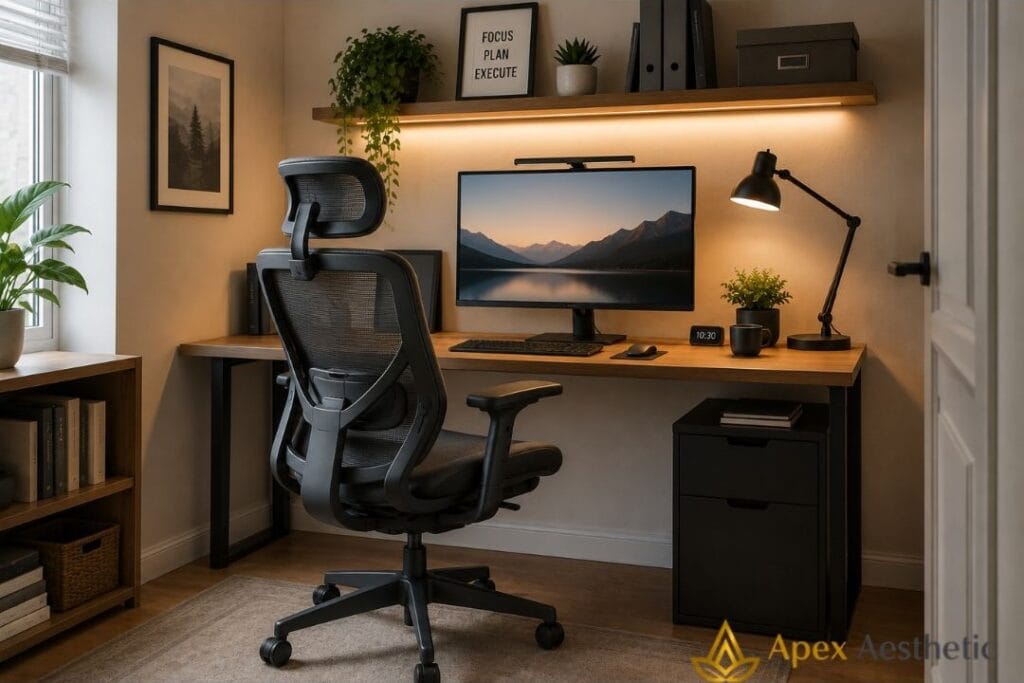
9. Create a minimalist workspace
Minimalism isn’t about owning fewer possessions. It’s about reducing visual noise.
Keep only items used regularly on your desktop:
- Monitor
- Keyboard
- Notebook
- Lighting
- Essential supplies
Everything else belongs in storage.
A clutter-free workspace creates the following:
- Better focus
- Improved video-call backgrounds
- Reduced visual fatigue
- Easier cleaning routines
One pattern that consistently appears in productive home offices is the presence of clear, uncluttered surfaces.
Minimalism in small workspaces isn’t simply a design preference. It’s a practical necessity. When desks hold only essential items, focus improves, cleaning becomes easier, and the room feels significantly larger than it actually is.
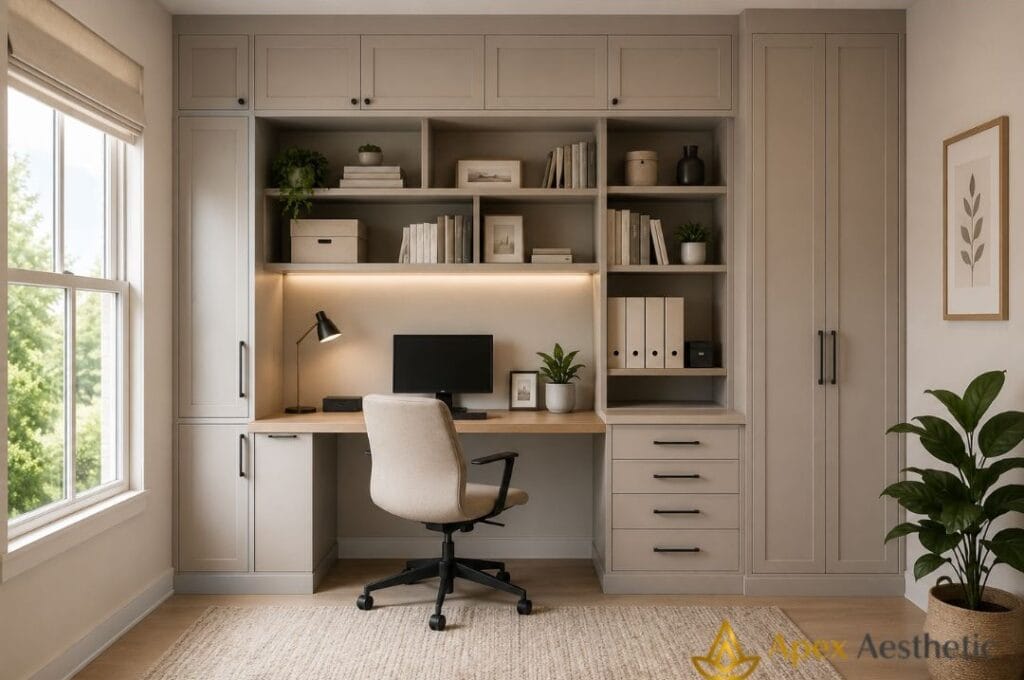
10. Add built-in storage cabinets
Custom storage solves problems generic furniture cannot. Built-in cabinets maximize awkward corners, unusual dimensions, and underutilized walls.
They work especially well for:
- Shared bedrooms
- Guest room offices
- Family workspaces
- Remote professionals managing paperwork
Although custom solutions cost more upfront, they often eliminate the need for multiple standalone pieces.
One lesson that repeatedly emerges from compact office redesigns is that custom storage often replaces the need for additional furniture altogether.
A single built-in cabinet can do the work of two or three separate pieces while preserving valuable floor space. The result feels cleaner, larger, and far more intentional.
In small home offices, fewer pieces with better functionality almost always create a stronger design.
For additional inspiration, these home office storage ideas showcase creative ways to keep a workspace tidy without sacrificing style.
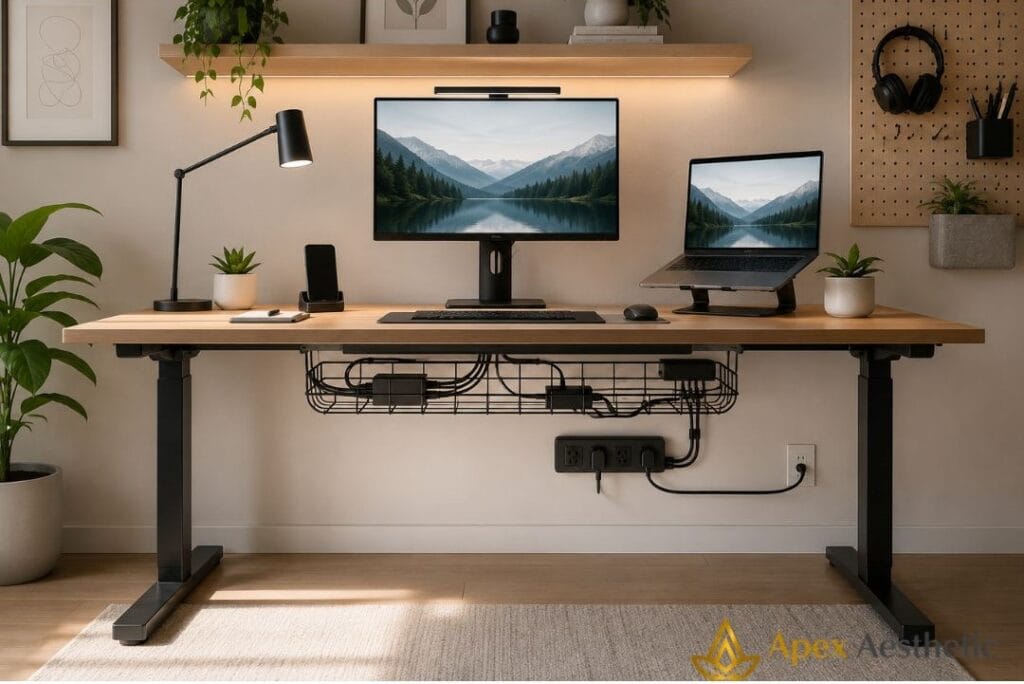
11. Use cable management systems
Nothing makes a small office look smaller than visible cables. Desk wire management kits cost between $10 and $30 and immediately improve both function and appearance.
Simple upgrades include:
- Under-desk cable trays
- Adhesive cable clips
- Cord sleeves
- Power strips mounted beneath the desk
- Wireless charging stations
Small home office ideas succeed when visual clutter disappears.
One thing homeowners often underestimate is the impact of visible cables on a workspace.
Many people invest thousands in furniture upgrades while ignoring the bundle of cords hanging behind their monitors. Yet a simple $15 cable tray or a few cable organizers can dramatically improve both appearance and functionality.
In small home offices, thoughtful organization often delivers more value than expensive furniture replacements.
12. Install pegboards for office supplies
Pegboards remain one of the most affordable office organization systems available. Unlike cabinets, pegboards evolve with your needs.
Today they might hold the following:
- Headphones
- Stationery
- Chargers
- Calendars
- Cameras
Next year, they can be rearranged entirely.
For tiny office setups, flexibility matters more than permanence.
One lesson that repeatedly emerges from well-organized workspaces is that the best systems aren’t necessarily the most expensive.
They’re the ones that adapt as your work evolves. Pegboards, for example, can be rearranged in minutes to accommodate new tools, hobbies, or business needs, making them especially useful for creative professionals and side-hustle entrepreneurs.
Flexibility often provides more long-term value than permanent storage solutions.
13. Add indoor plants for focus and wellness
Plants soften workspaces. They also help create visual separation between technology and living environments.
Popular options include:
- Snake plants
- Pothos
- ZZ plants
- Peace lilies
- Rubber plants
Architectural Digest and numerous interior designers regularly highlight biophilic design principles because natural elements contribute to calmer, more inviting spaces.
One pattern that consistently appears in productive home offices is the presence of at least one living element.
It doesn’t need to be elaborate. A single healthy plant can make a workspace feel more intentional, welcoming, and less transactional. In smaller rooms, that touch of nature often provides balance without adding clutter.
Incorporating plants and natural textures reflects key biophilic design principles, creating a calmer and more inviting environment.
14. Design a small home office for video calls
Video calls changed home office priorities.
Your workspace now serves two audiences:
- Yourself
- Everyone on camera
An effective video call setup includes the following:
- Front-facing light
- Neutral backgrounds
- Stable camera positioning
- Minimal visual clutter
Simple Zoom background ideas outperform busy bookcases and crowded walls. A single shelf, framed artwork, or indoor plant often creates a cleaner professional appearance.
One pattern that consistently appears in professional home office setups is that the most effective video backgrounds are rarely the most elaborate.
Consistency beats decoration. A clean wall, a floating shelf, or a single healthy plant often creates a stronger impression than crowded bookcases or heavily styled displays.
Good lighting and minimal distractions help people focus on the conversation rather than the surroundings. For virtual meetings, simplicity usually communicates professionalism better than complexity.
15. Create a luxury small home office on a budget
Luxury isn’t about spending more. It’s about making deliberate choices.
Most elegant offices rely on:
- One statement light fixture
- Consistent color palettes
- High-quality textures
- Minimal visual clutter
- Better materials rather than more materials
An affordable office makeover often starts with paint and lighting before furniture replacement.
One mistake homeowners frequently make is purchasing several inexpensive decorative items instead of investing in a single standout feature.
One excellent lamp, statement artwork, or quality office chair typically creates more visual impact than five small accessories scattered throughout the room. In compact spaces, intentional choices almost always feel more luxurious than abundance.
The goal isn’t filling every corner—it’s giving each piece a reason to stand out.
16. Incorporate smart home office gadgets
Technology should solve problems—not create new ones.
The most useful productivity gadgets include:
- Wireless charging pads
- Smart plugs
- Noise-cancelling speakers
- Adjustable monitor arms
- Smart lighting systems
- Compact docking stations
Before purchasing any device, ask one question:
What daily frustration does this eliminate?
If the answer isn’t obvious, skip it.
One mistake people frequently make is buying gadgets simply because they look impressive in product videos.
The best smart office tools are usually the ones you stop noticing because they work reliably every day. A wireless charger that reduces cable clutter or a smart plug that automates lighting often provides more long-term value than expensive devices with dozens of rarely used features.
In productive workspaces, practicality almost always beats novelty.
17. Use hidden storage seating
Storage benches and ottomans solve two problems simultaneously:
- Seating
- Storage
They’re especially effective in:
- Guest rooms
- Shared bedrooms
- Studio apartments
- Family offices
Hidden storage keeps chargers, paperwork, and supplies out of sight while maintaining a clean visual environment.
One lesson that consistently emerges from compact home design is that the smallest rooms benefit most from furniture that performs multiple functions.
Every item should earn its footprint. A storage bench that doubles as seating or a desk with built-in drawers often delivers more value than several standalone pieces.
That’s the difference between cramped spaces and comfortable ones. In small home offices, thoughtful functionality almost always beats sheer quantity.
Which small home office upgrades deliver the best value?
| Upgrade | Cost | Productivity Impact | Overall Value |
| Ergonomic office chair | $$ | Very High | Excellent |
| Standing desk converter | $$ | High | Excellent |
| Floating shelves | $ | Medium | Excellent |
| Smart lighting | $ | High | Excellent |
| Indoor plants | $ | Medium | High |
| Built-in storage cabinets | $$ | High | High |
One recurring mistake deserves repeating:
- People spend heavily on decorative pieces while neglecting ergonomics.
- An ergonomic chair and proper lighting improve every single workday.
- Wall art improves only appearances.
- Function comes first.
- Style becomes easier afterwards.
What materials and furniture work best in small home offices?
Material choices matter more in compact rooms because every surface remains visible at once.
Mismatched finishes create visual clutter faster than oversized furniture.
Solid wood vs engineered wood
- Solid wood lasts longer but costs more.
Engineered wood often provides better value for:
- Apartment offices
- Guest room workspaces
- Shared family areas
For most homeowners, high-quality engineered materials offer the best balance between cost and durability.
Compact desks with built-in storage
Choose desks that include:
- File drawers
- Keyboard trays
- Hidden charging compartments
- Integrated shelving
This reduces the need for separate furniture pieces.
Adjustable standing desks
Two-leg frames typically feel less visually heavy than four-leg executive models.
In small spaces, visual openness matters.
Ergonomic seating solutions
According to OSHA recommendations, adjustable seating should provide:
- Seat-height control
- Armrest adjustments
- Lumbar support
- Proper monitor positioning
Modular shelving systems
Modular systems allow storage to evolve alongside your needs.
Add:
- One cube this year
- Another next year
- Additional shelves only when necessary
Flexibility consistently outperforms permanence in compact spaces.
What small home office mistakes should you avoid?
Buying an oversized desk
- Measure before purchasing.
- Six extra inches can block closets, walkways, and windows.
Ignoring natural light
- Place desks perpendicular to windows to minimize screen glare.
Poor cable management
- Visible cords create visual noise and functional frustration.
Skipping storage planning
- Determine where documents, chargers, and supplies belong before decorating.
Prioritizing style over function
- Beautiful furniture still fails if it causes discomfort.
Skipping a trial period
- Test desks and chairs over full workdays whenever possible.
- Comfort after eight hours matters more than comfort after twenty minutes.
One lesson that repeatedly emerges from successful home office makeovers is that the best spaces evolve gradually.
The worst offices are often purchased all at once, leaving little room for adjustment once daily routines take shape. Living with a workspace for several weeks usually reveals what genuinely needs improvement and what simply looked appealing in a showroom. Thoughtful upgrades almost always produce better results than complete overhauls.
Frequently Asked Questions
What’s the best desk for a small home office?
A desk between 36 and 48 inches wide and less than 24 inches deep fits most compact spaces comfortably without restricting movement.
How do I organize a tiny workspace?
Use vertical storage first.
Floating shelves, pegboards, and slim cabinets maximize available square footage.
Can I create a home office in a bedroom?
Absolutely.
Use lighting, shelving, or room dividers to create visual separation between work and rest.
What colors improve productivity?
Muted earth tones, soft greens, warm whites, and low-saturation blues generally create comfortable working environments.
Are standing desks worth it?
Yes—particularly when combined with regular movement rather than standing continuously.
How much should a home office setup cost?
Budget between $200 and $500 for essentials, $600 to $1,500 for mid-range upgrades, and $2,000 or more for premium smart-office environments.
Do I need a separate room for a home office?
No.
A closet, bedroom corner, hallway niche, or unused wall section can function perfectly well when ergonomics and storage are planned properly.
Final Thoughts
Start with four priorities:
- Ergonomic seating.
- Better lighting.
- Vertical storage.
- Flexible furniture.
In that order.
A productive office isn’t built through expensive purchases.
It’s built through thoughtful decisions.
Most homeowners overspend on decorative upgrades while underinvesting in the items they interact with every day.
Reverse that order, and everything else becomes easier.
For more inspiration on maximizing compact spaces, explore our
- Luxury Apartment Decor Ideas
- Minimalist Kitchen Decor Ideas
- Dark Academia Room Decor Ideas
- Small Balcony Decor Ideas
If your workspace depends heavily on natural light, statement lighting ideas pair especially well with the strategies above.
And before investing in ergonomic furniture, it’s worth reviewing OSHA computer workstation recommendations and Mayo Clinic office ergonomics guidance to ensure every purchase supports long-term comfort and productivity.